Telehealth Medical Equipment: A Practical Guide
Telehealth works best when the equipment matches the clinical task, the care setting, and the people responsible for making the visit happen. A conversation-only appointment may need little more than dependable audio, video, a display, and connectivity. A clinical encounter may also require connected devices that help a remote clinician review measurements with the onsite team.
Book a Demo to discuss the equipment and workflow your organization needs.
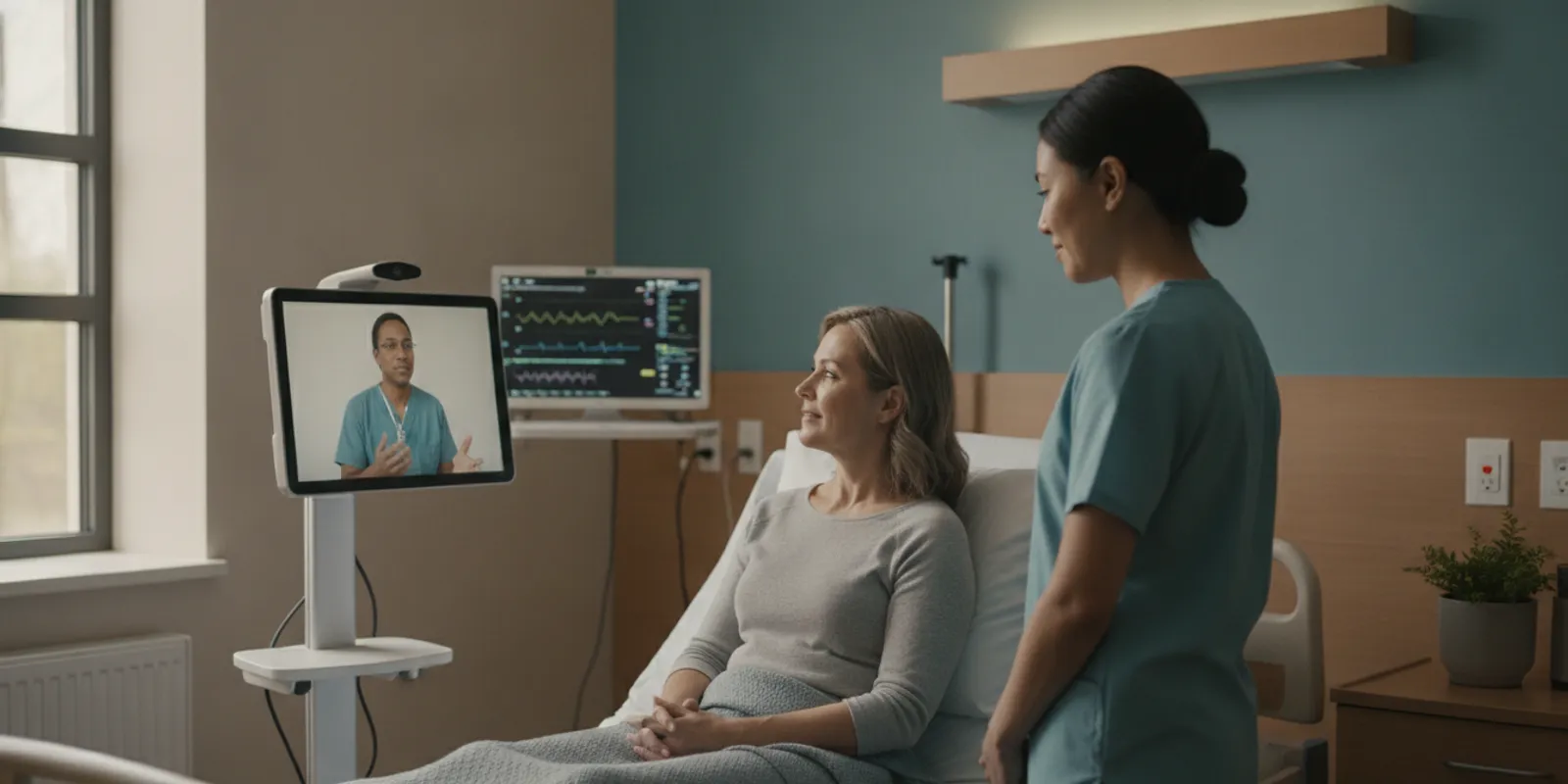
Telehealth medical equipment typically includes a camera, display, microphone and speaker, reliable connectivity, and clinical peripherals such as connected vital-sign devices when the visit requires more than conversation. Dr. Temi extends that foundation through autonomous robotic telepresence, bringing a remote physician to the patient's bedside without staff transporting or positioning the equipment.
That distinction matters across hospitals, skilled nursing facilities, and rural care environments. The right starting point is to look at what each part of the equipment stack enables, then compare a stationary video setup with an autonomous bedside clinical encounter.
What telehealth medical equipment includes
Telehealth medical equipment is the set of devices and connections that lets a patient and care team communicate, observe one another, and share clinically useful information at a distance. The right setup depends on the encounter. A conversation-only visit may need a camera, display, microphone, speaker, and reliable internet connection. A clinical encounter may also require connected devices that help a remote clinician review vital signs or other measurements.
The basic communication layer should support clear video and two-way audio. A camera gives the remote provider a view of the patient and care environment, while a display helps the patient see and engage with the care team. Microphones and speakers need to work well in the room where care occurs, not just at the workstation where equipment was installed. The U.S. Department of Health and Human Services provides a patient checklist for the basic technology and setting considerations involved in using telehealth: what patients need to use telehealth.
Clinical equipment adds a measurement layer. Depending on the care plan, that can include blood-pressure instruments, heart-rate tools, scales, blood-sugar technology, or equipment for tracking breathing. HHS explains that remote patient monitoring devices collect and send patient data and clinical information for provider review. That is different from a live video visit because the information may be gathered outside the healthcare setting and reviewed asynchronously.
For hospitals, skilled nursing facilities, and rural care organizations, the practical question is not how many devices can be purchased. It is whether the equipment supports the intended workflow, reaches the patient when needed, and gives the care team the information required for a complete remote clinical encounter.
The core equipment in a telehealth setup
The right telehealth medical equipment depends on the encounter, the care setting, and who is responsible for operating each component. A conversation-only visit may need a camera, display, microphone, speaker, reliable connectivity, and a dependable power source. A clinical encounter may also require connected devices that capture vital signs or other examination information. The goal is not to assemble the longest device list. It is to make each part support a clear, repeatable care workflow.
| Component | What it enables | Practical leadership checks |
|---|---|---|
| Camera | Two-way visual communication and observation of the patient, room, or care activity. | Check image quality, field of view, positioning, lighting, cleaning procedures, and whether staff must reposition it for each visit. |
| Display | A visible connection between the patient, remote clinician, and other authorized participants. | Consider screen size, viewing angle, mobility, accessibility, and whether the display can reach the bedside when the patient cannot travel. |
| Microphone and speaker | Clear conversation between the patient, onsite team, and remote care team. | Test voice pickup, speaker volume, background-noise handling, echo control, and ease of use for patients with hearing or speech needs. |
| Connectivity | Live video, audio, and transmission of data from connected devices. | Review coverage in every intended care area, capacity during busy periods, failover planning, and the workflow for diagnosing interruptions. |
| Power and placement | Consistent availability without obstructing care, movement, or emergency access. | Map outlets, charging, cable management, storage, infection-control handling, and who moves or positions equipment. |
| Connected clinical peripherals | Collection and sharing of information such as blood pressure, heart rate, weight, glucose, or breathing data when clinically appropriate. | Confirm device fit, staff training, data transfer, documentation, cleaning, and the clinician's process for reviewing results. |
Connected peripherals should be selected around a defined clinical use case, not added simply because they are available. HHS describes remote monitoring devices as tools that collect and send patient data for provider review, with examples including blood-pressure instruments, heart-rate tools, scales, and blood-sugar technology. Review HHS guidance on remote monitoring equipment when evaluating how data will be collected and used. For organizations that need the equipment to reach a patient rather than wait for staff transport, mobility and placement deserve the same attention as camera and network specifications.
Which connected devices support a complete clinical encounter?
A video conversation can connect a patient and clinician, but some encounters require more than clear audio and a camera view. Connected vital-sign peripherals can give the remote physician relevant clinical information during the visit, while keeping the care team involved in interpreting findings and deciding what happens next.
Dr. Temi supports connected vital-sign devices as part of a complete remote clinical encounter. Depending on the use case, that may include equipment such as a blood pressure cuff, pulse oximeter, ECG, digital stethoscope, or thermometer. These tools are not a universal checklist. The right combination depends on the patient population, the types of assessments clinicians perform, and how the facility already delivers care. A skilled nursing workflow may prioritize routine vital signs and timely physician review, while a hospital service may need a different set of peripherals.
The data flow should be straightforward for the people using it. A staff member or patient follows the established process for taking a measurement. The connected device makes the reading available within the encounter, and the remote clinician considers that information alongside the patient's history, symptoms, visual presentation, and conversation. The device supplies a measurement; it does not replace clinical judgment. Clear ownership also matters: teams should know who prepares the device, confirms that it is used correctly, and records or communicates the result according to their clinical workflow.
Usability is therefore as important as the device list. Leaders should assess whether peripherals can be reached when needed, cleaned and stored appropriately, connected reliably, and used without adding unnecessary steps for nursing or clinical staff. They should also consider how the equipment supports bedside access rather than requiring staff to move a patient to a dedicated room.
For a closer look at how Dr. Temi brings connected medical devices at bedside, review the platform guide. The goal is not to collect the most equipment. It is to select the tools that help clinicians complete the right encounter in the right setting.
How equipment needs differ across hospitals, skilled nursing, and rural care
The right telehealth medical equipment depends less on a standard device list than on where care happens, who operates the equipment, and what the remote clinician must assess. A hospital may need equipment that fits several departments and supports team-based encounters. A skilled nursing facility may prioritize reliable bedside access for residents who cannot be moved easily. A rural or critical-access hospital may place greater emphasis on connectivity, flexible coverage, and equipment that works across longer distances and limited local resources.
Hospitals and health systems
Hospitals often need a flexible setup that can support different workflows, from a scheduled specialty consultation to a remote assessment involving nurses, physicians, and other care team members. A camera, display, clear audio, dependable network connection, and appropriate connected clinical peripherals may be enough for some encounters, while others call for vital-sign or examination devices. Equipment selection should follow the clinical use case and room layout rather than assume every department needs the same configuration.
Skilled nursing and long-term care
In skilled nursing, the practical question is often how a remote clinician can participate in care at the resident's bedside without creating unnecessary movement for the resident or additional transport work for staff. The setup may need to support clear communication, vital-sign review, and a complete remote clinical encounter in rooms with varied layouts and staffing patterns. Leaders evaluating telemedicine workflows in skilled nursing should map the equipment to routine escalation, physician access, and staff responsibilities.
Rural and critical-access care
Rural care settings may need equipment that remains dependable when broadband access, technical support, space, and specialist availability vary. HHS rural telehealth guidance highlights the importance of access to internet and other telehealth resources, making connectivity assessment an early part of planning rather than an afterthought. See the guidance on internet and other telehealth resources for rural telehealth when evaluating a site.
For qualifying facilities, Dr. Temi's telehealth access for rural facilities program may be relevant. Eligibility should be confirmed before treating it as an option. Across all three settings, the strongest configuration is the one that matches patient mobility, clinical requirements, network conditions, and the people expected to operate it.
When your team is weighing equipment options, talk with Dr. Temi about your clinical workflow and the bedside access you want to support.
Stationary video equipment vs. autonomous bedside telepresence
Stationary video equipment can support a valuable remote visit when the patient, clinician, and local staff can come together in a room prepared for the encounter. A camera, display, microphone, speaker, and dependable connection make conversation possible. Clinical peripherals may add examination data. But the setup still depends on people to bring the patient to the equipment or move and position the equipment where care is needed.
That distinction matters in hospitals, skilled nursing communities, and other environments where patients may be in different rooms, have limited mobility, or need attention outside a scheduled clinic space. Staff movement is not merely a transportation detail. It can affect who is available for bedside work, how quickly a clinician can connect, and whether the remote visit fits naturally into an existing care workflow. Stationary equipment may be the right fit for a designated telehealth room. It is less suited to a model in which bedside access needs to reach the patient where they are.
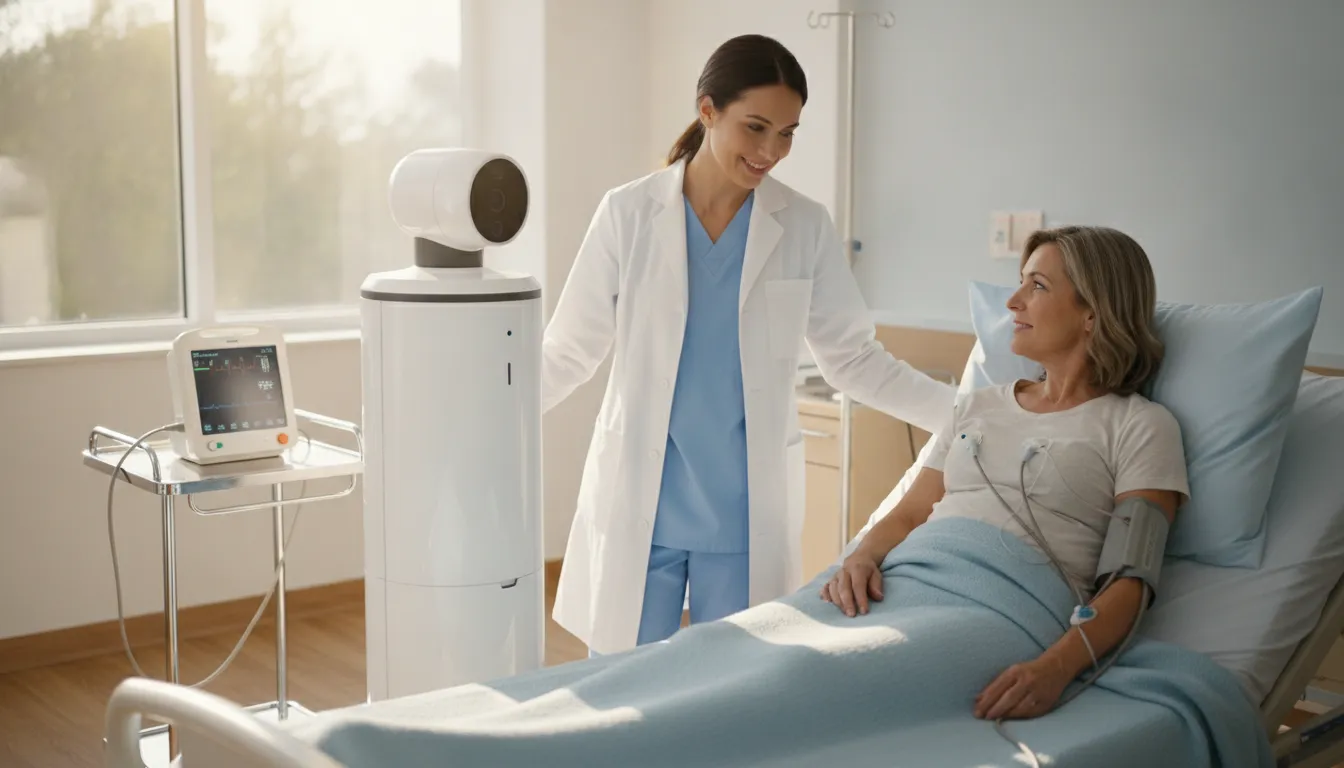
Dr. Temi uses autonomous robotic telepresence to address that workflow difference. Its system navigates autonomously to the patient, so staff do not need to transport, position, or operate the equipment for each encounter. The platform is designed to bring a remote physician to the bedside in under five minutes, 24 hours a day. That is a sourced capability, not a guarantee that every request will meet that timing in every facility or situation.
At the bedside, the interaction can extend beyond a video conversation. Dr. Temi supports connected vital-sign devices and a complete remote clinical encounter, allowing the remote care team to work with relevant clinical information while the patient remains in place. The goal is not to replace onsite judgment or staff involvement. It is to reduce avoidable movement and make remote physician access more responsive to the patient's location and care needs.
Leaders comparing autonomous bedside physician access with a fixed setup should map the full workflow: who initiates the visit, who prepares the room, who moves equipment, and how connected vital signs reach the care team. Dr. Temi's mobile bedside telemedicine solution is built for organizations evaluating that broader clinical workflow, rather than selecting video hardware in isolation.
What should leaders check before selecting equipment?
- Define the clinical use case. Start with the patients, encounters, and locations the equipment must support. A conversation-only visit may need a camera, display, microphone, speaker, and dependable connectivity. A complete remote clinical encounter may also require connected vital-sign devices or examination peripherals. Write down what the remote clinician must see, hear, assess, and document before comparing products.
- Choose mobility and peripherals together. Decide whether staff will bring equipment to the patient, whether the equipment will remain in a room, or whether the platform should travel autonomously to the bedside. Then match peripherals to the use case, such as blood-pressure devices, pulse oximeters, thermometers, or other connected tools. Dr. Temi supports connected vital-sign devices, but the right configuration should follow the organization's clinical workflow.
- Check network, power, and placement. Map the rooms and routes where equipment will be used. Confirm reliable connectivity, practical charging or power access, clear audio, adequate lighting, and a camera position that supports the encounter. For mobile systems, review doorways, elevators, floor surfaces, bedside clearance, and areas where staff or patients could interrupt movement.
- Fit the equipment to staff workflow. Identify who requests an encounter, prepares the patient, connects peripherals, assists with positioning, and documents follow-up. Minimize steps that depend on already-busy staff. If autonomous navigation is part of the solution, confirm how a remote physician reaches the patient without staff transporting or positioning the equipment.
- Review privacy and security with your own team. Involve information security, clinical leadership, compliance, and facilities stakeholders before selection. Ask how users authenticate, how access is controlled, what data is transmitted, whether calls are recorded, and how devices are managed when not in use. Treat the answers as items for your organization's review, not as a substitute for its policies.
- Plan support and measurement. Assign ownership for training, maintenance, connectivity issues, peripheral replacement, and escalation. Establish baseline measures such as response time, staff steps per encounter, completed virtual visits, and clinician adoption. Review those measures after launch so the equipment configuration can improve with real use.
A practical telehealth medical equipment checklist
Use this checklist to evaluate equipment against the care you intend to deliver, not simply the devices included in a package.
- Clinical purpose: Decide whether the encounter is conversation-only, requires visual assessment, or calls for connected vital-sign devices. The right setup for a routine follow-up may not support a complete remote clinical encounter.
- Care setting: Account for patient rooms, shared spaces, isolation needs, rural distances, and the availability of onsite staff. Hospitals, skilled nursing facilities, and critical-access hospitals may need different approaches to placement and access.
- Mobility: Ask whether equipment must remain in one room or reach patients wherever they are. A stationary camera and display can support scheduled visits, while autonomous navigation may reduce the need for staff to transport and position equipment.
- Connected devices: Confirm which peripherals fit the clinical purpose, how they are used at the bedside, and whether the remote clinician can receive the information during the encounter. Dr. Temi supports connected vital-sign devices as part of its autonomous clinical care platform.
- Connectivity and workflow: Review network reliability, power, audio quality, privacy, cleaning, and ownership of each step. Equipment that works technically but adds difficult handoffs can slow care rather than improve access.
Dr. Temi adds a distinct workflow consideration. Its system can navigate autonomously to a patient and bring a remote physician to the bedside in under five minutes. It is available 24 hours a day without staff transporting or positioning the equipment. Compare that model with the movement and room-access requirements of your current process. Explore the mobile bedside telemedicine solution, then evaluate fit through a practical demonstration using your patient locations, clinical priorities, and staff workflow.
Book a Demo to review your care settings, bedside workflow, and telehealth equipment priorities.
Frequently Asked Questions
What telehealth medical equipment is needed for a basic virtual visit?
A practical setup usually includes a camera, display, microphone and speaker, reliable network connectivity, and a secure telehealth platform. Add connected vital-sign devices or examination peripherals when the clinician needs more than conversation. The right configuration depends on the care setting, visit type, staffing model, and patient needs. HHS also provides a patient-facing checklist for basic telehealth access: what patients need to use telehealth.
What equipment is used for telehealth in hospitals and skilled nursing?
Hospitals and skilled nursing teams may use room-based video equipment, mobile clinical carts, or an autonomous robotic telepresence platform. Cameras, displays, microphones, speakers, network access, and connected vital-sign devices support the encounter. The important planning question is not only which devices to purchase, but who positions, operates, cleans, and maintains them between visits.
How is an autonomous bedside system different from a stationary video setup?
A stationary setup keeps the camera and display in a room, so staff typically bring the patient to the equipment or move the equipment to the patient. Dr. Temi uses autonomous navigation to bring a remote physician to the patient's bedside without requiring staff to transport or position the equipment. That supports a complete remote clinical encounter rather than video access alone.
Do rural hospitals need different telehealth equipment?
Rural and critical-access hospitals need the same core components, but connectivity, room availability, local staffing, and access to clinical peripherals can affect the design. A site assessment should confirm network reliability and identify which examinations require connected devices. HHS rural telehealth guidance addresses internet access and other resources for rural care: telehealth for rural areas.
Book a Demo to Review Your Telehealth Equipment Needs
Choosing telehealth medical equipment is easier when your team can evaluate how devices, connectivity, and bedside workflow fit together in the settings you serve. A conversation with Dr. Temi can help you explore whether autonomous robotic telepresence supports the clinical access your organization is planning. Book a Demo to discuss your goals with the team.