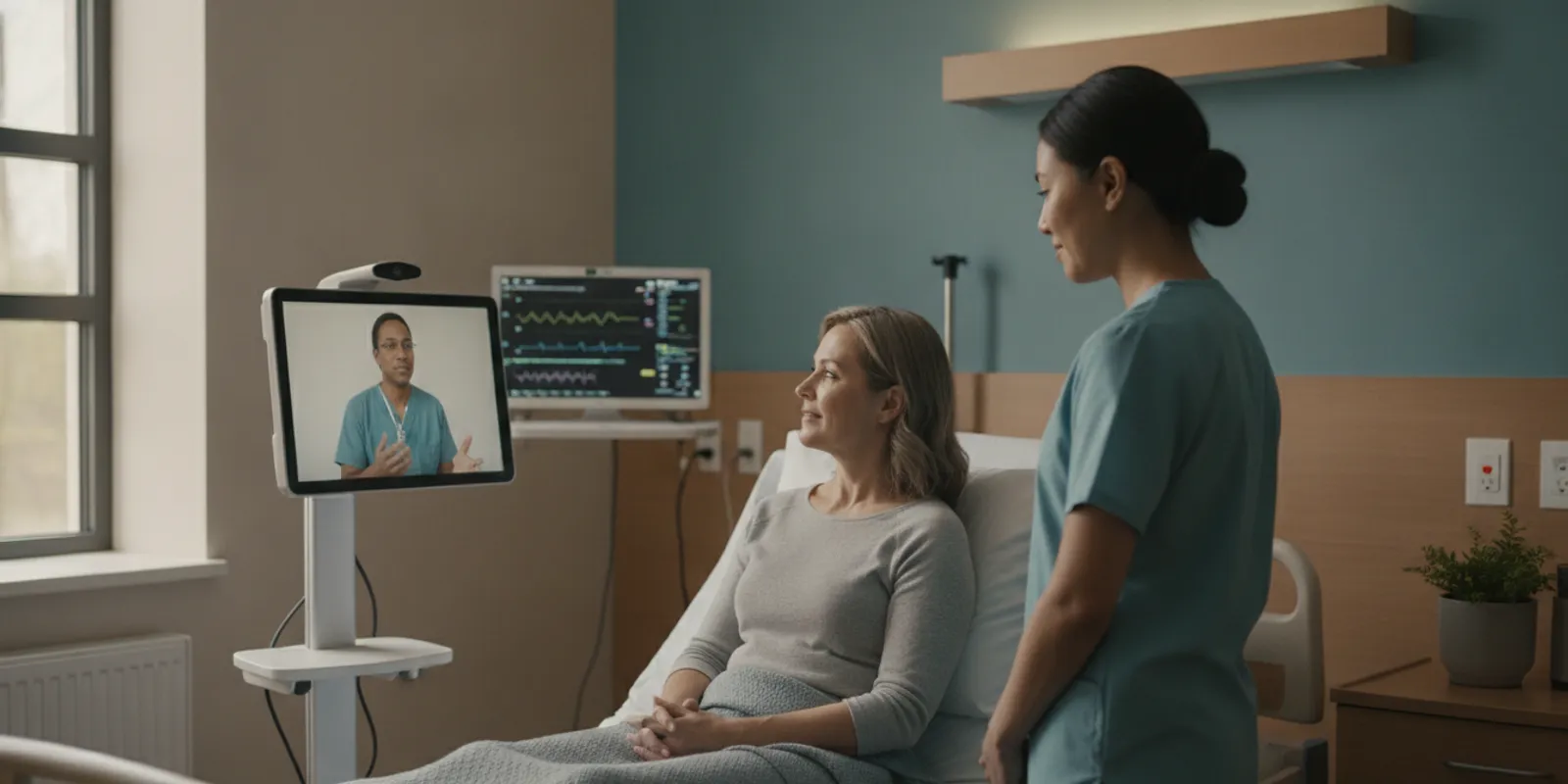
Telehealth Interoperability: Connecting Virtual Care Across Healthcare Systems

Telehealth interoperability is the ability of virtual care tools to exchange useful information and support coordinated work across a healthcare organization’s systems. For healthcare IT and virtual-care leaders, the goal is not simply to connect applications. It is to help the right people access accurate information, complete their part of a care process, and document the encounter in the appropriate record. That requires planning for data, identity, devices, workflows, and security together.
What Does Telehealth Interoperability Mean in Practice?
Interoperability is often described as systems exchanging data. In day-to-day care, it is broader than a technical connection. The information must be available in a form that the receiving system and its users can interpret, and the exchange must fit the way the organization delivers care.
Consider a remote clinical encounter in a long-term care facility. A clinician may need to review a resident’s history, connect with staff, examine the resident remotely, view readings from connected devices, and document the encounter. If each step happens in a separate tool with no clear handoff, staff may have to repeat work or search for information. A connection that transfers a file but does not support the clinical workflow may be technically functional yet operationally incomplete.
For evaluation purposes, distinguish among several levels:
- Technical connectivity: Can two systems send and receive information?
- Data structure: Is the information organized consistently enough for the receiving system to use?
- Meaning: Do users and systems interpret the exchanged information the same way?
- Workflow fit: Does the exchange support a defined care process, with clear ownership and follow-up?
These levels help teams avoid treating a successful interface test as proof that the entire care process is connected. Research on electronic health record interoperability has discussed the importance of data integration across telehealth delivery, including semantic and organizational dimensions, not only device connectivity (research on EHR interoperability and telehealth).
Which Workflows Should Leaders Map First?
Start with a specific care scenario rather than a broad goal such as “integrate telehealth.” A scenario makes the people, information, systems, and handoffs visible. For example, map what happens when a resident needs an urgent remote clinical review, or when a virtual visit is planned as part of routine care.
Document the workflow from the initiating event through the point when the encounter is recorded and any next step is assigned. Ask who identifies the need, who requests the visit, how the clinician receives relevant context, how staff support the encounter, where results or notes belong, and who confirms that follow-up occurred. Include both normal operations and exceptions, such as a missing record, unavailable device reading, or a change in the assigned clinician.
Useful mapping questions include:
- What event starts the virtual-care process, and who is responsible for acting on it?
- Which clinical and operational details must be available before the encounter?
- Which staff members participate, and what tasks are expected from each?
- Where is the official documentation stored, and who completes or reviews it?
- How are unresolved questions, orders, or follow-up needs routed?
- What should happen if an interface or connected device is unavailable?
Keep the initial map narrow enough to validate with people who perform the work. A nursing leader can explain how the visit fits into the shift. A virtual-care or clinical leader can clarify the clinician’s needs. IT can identify the systems and interface constraints. Compliance and security teams can identify requirements for access and information handling. The process owner should bring these perspectives together and make decisions about unresolved handoffs.
Organizations evaluating autonomous robotic telepresence should also map the physical and virtual steps. With Dr. Temi, the platform can autonomously bring a remote physician to a patient bedside in under five minutes, 24 hours a day, without requiring staff to transport or position the equipment. The encounter can include connected vital-sign devices and supports EHR documentation through the Clinii partnership. Teams should still define how the visit is requested, which staff support the patient, and how documentation and follow-up fit their own systems and policies. Learn about the platform’s range of care and operational solutions.
How Should EHR Documentation Fit Into the Exchange?
EHR connectivity is one part of telehealth interoperability, but it is not the whole project. Leaders should define what documentation is needed, where it belongs, and who is accountable for completing it. This should be decided before a technical interface is treated as complete.
Depending on the organization’s workflow, the relevant information may include encounter context, a clinical note, vital-sign readings, participants, and follow-up actions. Not every item will be transferred automatically, and an organization should not assume that every vendor connection supports the same data or workflow. Confirm the specific information supported, how it is matched to the correct patient and encounter, and whether a person must review or enter it.
Through its partnership with Clinii, Dr. Temi supports EHR integration across more than 30 systems. During due diligence, ask which specific systems and workflows apply to your environment. Confirm what information can be exchanged, how the connection is configured, how documentation is reconciled when information is missing or mismatched, and who handles support. A stated integration count is a starting point for a conversation, not a substitute for validating your own configuration.
Also clarify the boundary between the virtual-care platform and the EHR. The EHR generally remains the organization’s designated record system. Establish whether the telehealth tool creates or updates an encounter, sends information for review, or supports a separate documentation step. Identify how corrections are made and how staff can tell whether the information reached its intended destination.
The federal interoperability roadmap describes scenarios that include patient enrollment in an app and healthcare team review of app data, illustrating why interoperability involves users and care processes as well as exchange mechanisms (interoperability scenarios in the NCBI roadmap). Use your own mapped workflow to determine which scenarios matter, rather than assuming every feature is necessary.
How Do Connected Devices Affect Telehealth Interoperability?
Connected vital-sign devices can add clinical information to a remote encounter, but the value depends on how the data is captured, identified, interpreted, and documented. A reading that appears on a screen is not automatically integrated into the patient’s record or the clinician’s workflow.
When evaluating device connectivity, ask practical questions:
- Which device types and models are supported for the intended care setting?
- How is the reading associated with the correct patient and encounter?
- Can users see the measurement, units, and relevant context clearly?
- How does staff confirm that the device reading is current and complete?
- Where does the reading go after the encounter, and who reviews it?
- What is the documented fallback if a device cannot connect or a reading appears inconsistent?
Device data should not be treated as self-explanatory. Agree on the clinical workflow for review and documentation. Establish how staff communicate a reading to a clinician when automated transfer is unavailable, and how the organization handles equipment maintenance and user training.
In the United States Core Data for Interoperability (USCDI), the Office of the National Coordinator for Health Information Technology includes a data element for “device used.” Its description highlights the role device information can play in clinical care (USCDI information on device used). This is useful context for planning, but it does not mean that a particular telehealth product automatically supports every device or data element.
What Standards and APIs Should a Team Ask About?
Standards and APIs are important because they can make it easier for systems to exchange information in predictable ways. But a standards label alone does not establish that a particular workflow is supported. Leaders should ask about the exact implementation, data elements, direction of exchange, and operational responsibilities.
Ask vendors and internal IT teams to explain:
- Which standards, profiles, or APIs are used for each required exchange?
- What information is supported today, and what requires custom configuration?
- Is information sent one way or exchanged in both directions?
- How are patient identity, encounter context, timestamps, and terminology handled?
- How are errors surfaced, retried, monitored, and resolved?
- Are there interface dependencies, licensing requirements, or third-party partners?
Standards can support consistency, yet different implementations may vary. Ask for a walkthrough using the organization’s intended scenario. Have IT assess the proposed design and have clinical and operational users verify that the returned information is understandable and actionable. If the exchange depends on a partner, clarify which party owns the interface, testing, and support after deployment.
Do not assume an API means real-time synchronization, complete data, or an automatic write-back to the EHR. Ask what happens at each step and request clear documentation of supported data, limitations, and dependencies. Record these details as acceptance criteria for implementation.
How Should Identity and Access Be Designed?
Interoperability depends on the right people being able to reach the right information at the right time. Identity and access planning should cover clinicians, facility staff, administrators, and any other permitted participants in the virtual-care workflow.
Define how users are provisioned and removed, how roles determine access, and how credentials are protected. Review whether the organization can use its existing identity processes or whether the platform requires separate accounts. Ask how access is reviewed when a staff member changes roles or leaves, and how unusual access activity is managed.
Also verify patient identification and encounter matching. A technically successful exchange can still create risk if information is associated with the wrong person or visit. Work with IT and clinical operations to define what identifiers are used, how discrepancies are handled, and which user confirms the match when the system cannot do so confidently.
For Dr. Temi, supported security details include encrypted video, credentialed-only access, and live calls that are not recorded or retrievable. Organizations should review how these controls apply to their deployment and confirm the broader access, identity, and record-handling requirements with their own IT, privacy, and security teams. No single feature replaces a local security assessment.
Who Owns Workflow, Security, and Ongoing Support?
Interoperability work crosses departments, so ownership should be explicit. A project can stall when everyone agrees that a connection matters but no one owns the decisions or the exceptions. Assign an accountable owner for each part of the process.
| Work area | Questions to resolve | Suggested accountable partners |
|---|---|---|
| Clinical workflow | Who initiates, supports, documents, and follows up on the encounter? | Clinical and nursing leadership; virtual-care operations |
| Interfaces and data | What is exchanged, in which direction, and how are errors monitored? | IT, EHR/interface teams, vendor technical contacts |
| Identity and access | Who receives access, how are roles applied, and how is access removed? | IT identity management; security; department managers |
| Privacy and security | How is information protected, reviewed, and handled under local policy? | Privacy, security, compliance, legal as appropriate |
| Operations and support | Who trains users, responds to issues, and approves workflow changes? | Operations, service desk, vendor support, process owner |
Include the people who will use the workflow in design and testing. A process may look sound in a systems diagram but add steps during a busy shift. Run through representative scenarios, including failures and exceptions. Capture what users do when data is delayed, a device is unavailable, or the expected record does not appear. Agree on who owns resolution and how staff communicate while the issue is open.
Security review should happen early enough to influence design. Share the proposed data flows, user roles, connected devices, and any third-party connections with the organization’s relevant reviewers. Confirm documentation and escalation paths before launch. Organizations can review Dr. Temi’s approach to autonomous clinical care as one part of that diligence, alongside their own formal technical and compliance review.
How Can Leaders Evaluate a Telehealth Vendor?
A structured evaluation makes it easier to compare a vendor’s claims with the organization’s actual needs. Use the same use cases and questions with each provider, then document the answers and any unresolved items.
- Set the use case. Identify the care setting, patient or resident population, initiating events, staff roles, and desired outcome of the workflow.
- Trace the information. List what must be available before the encounter, created during it, and documented or routed afterward. Identify the source and destination system for each item.
- Validate the integration. Ask the vendor to demonstrate the exact EHR and device connections relevant to your environment. Confirm data direction, limitations, configuration needs, and support ownership.
- Review identity and security. Share the expected access model and data flow with internal reviewers. Ask for documentation of controls and clarify the vendor’s responsibilities and your organization’s responsibilities.
- Test exceptions. Walk through missing information, failed connections, identity mismatches, unavailable devices, and support escalation. Confirm that staff can continue safely under local policy.
- Define acceptance criteria. Agree on what must work before rollout, who signs off, what evidence is recorded, and how post-launch issues will be monitored.
For autonomous robotic telepresence, include physical operations in the demonstration: how the platform reaches the bedside, how staff and clinicians participate, how connected vital-sign devices are used, and how the encounter is documented. Dr. Temi offers a complete remote clinical encounter and supports up to 30 participants in a session; a demo should help your team determine how those capabilities fit its workflows. The Dr. Temi platform overview is a starting point for understanding the approach.
Evaluation should continue beyond the interface checklist. Consider training, ongoing support, workflow adoption, and how the team will recognize when a process needs adjustment. For rural facilities considering the specific program, review the Rural Healthcare Access Program and confirm facility eligibility and applicable requirements rather than assuming they are universal.
What Should an Implementation Plan Include?
A practical implementation plan turns the evaluation into a sequence of decisions and tests. Start with the smallest meaningful workflow that can be validated, while making sure it represents the organization’s real environment.
- Scope: Name the locations, user groups, systems, devices, and care scenarios included in the first phase.
- Readiness: Confirm technical prerequisites, network and device arrangements, account setup, and operational ownership.
- Configuration: Document agreed workflows, roles, data exchanges, and exception processes.
- Testing: Test routine and exception scenarios with technical and frontline users. Record results against agreed criteria.
- Training: Prepare staff for their specific roles, including what to do when information or connectivity is unavailable.
- Launch and review: Set escalation paths, collect user feedback, and review whether the intended workflow is functioning as designed.
Set measures that relate to the use case. A team may review whether encounters are documented as expected, whether the planned users can complete their steps, and whether follow-up ownership is clear. Define these measures locally. Avoid assuming a technical connection alone demonstrates improved clinical outcomes or operational efficiency.
Make acceptance criteria observable. For example, specify that the correct user can open the intended encounter, the necessary context is available, a connected reading can be reviewed as planned, and documentation reaches the agreed destination or is clearly flagged for a person to complete. Include a test case in which the connection fails, so staff can demonstrate the fallback process. Keep the criteria focused on the workflow being implemented rather than on a generic checklist of product features.
Plan how the organization will handle change after go-live. Updates to an EHR, user roles, supported devices, or local procedures can affect a connection that previously worked. Decide who receives notices about changes, how new versions or configurations are tested, and how users report problems. Maintain a record of known limitations and approved workarounds. When an issue affects patient matching, documentation, or access, define who assesses the risk and who decides whether a workflow should pause while it is resolved.
Finally, establish a regular review with clinical operations and IT after initial use. Ask whether staff can complete the expected steps, whether exceptions are reaching the right owner, and whether information appears where users expect it. Use those observations to refine training, support instructions, or the workflow itself. This keeps interoperability grounded in actual operations rather than treating implementation as finished when a connection first passes a technical test.
Keep a decision log for integration scope, responsibilities, open risks, and approvals. When a requirement changes, update both the workflow and the technical plan. This gives clinical, IT, and operational leaders a shared view of what is ready, what remains unresolved, and who is responsible for the next action.
Frequently Asked Questions
Does telehealth interoperability mean every system shares all data?
No. Interoperability should support defined, appropriate workflows. Organizations need to determine which information must move, where it belongs, who can access it, and how exceptions are handled. Sharing more data is not automatically better if it is not relevant or clearly governed.
Is an EHR connection enough to make a telehealth platform interoperable?
No. An EHR connection is one component. Identity, device information, workflow ownership, user access, documentation responsibilities, and support processes also matter. Validate the complete care scenario, not only the interface.
What should we ask about connected vital-sign devices?
Ask which devices are supported, how readings are matched to the patient and encounter, where the information is displayed or documented, and what users should do if a reading or connection is unavailable. Confirm how clinicians and staff review the information in their workflow.
How can a facility compare vendors fairly?
Use the same use case, system environment, device needs, security questions, and exception scenarios for each vendor. Request demonstrations and written details that distinguish supported capabilities from configuration requirements or future plans.
Connect Technology to the Care Process
Effective telehealth interoperability starts with the care process the organization wants to support. Map the people and handoffs, confirm the information and connections required, review identity and security, and test ordinary and exceptional situations with the teams who will use the system. That gives leaders a practical basis for deciding whether a platform fits their environment and how to implement it responsibly.